


Power of Authorities to GROW FINANCE
In order to provide accounting services, we need the following authorizations:
1. Access to e-Tax –
Log–on this site https://maasikas.emta.ee/login/?lang=en
-Go to settings -> Access permissions -> Access permissions of representatives
– Click on NEW access permission and provide Grow Finance (registration code 11627587) with the rights of administration and delegation authorities. It gives the opportunity to give or remove further authorities for Grow Finance employees if necessary.
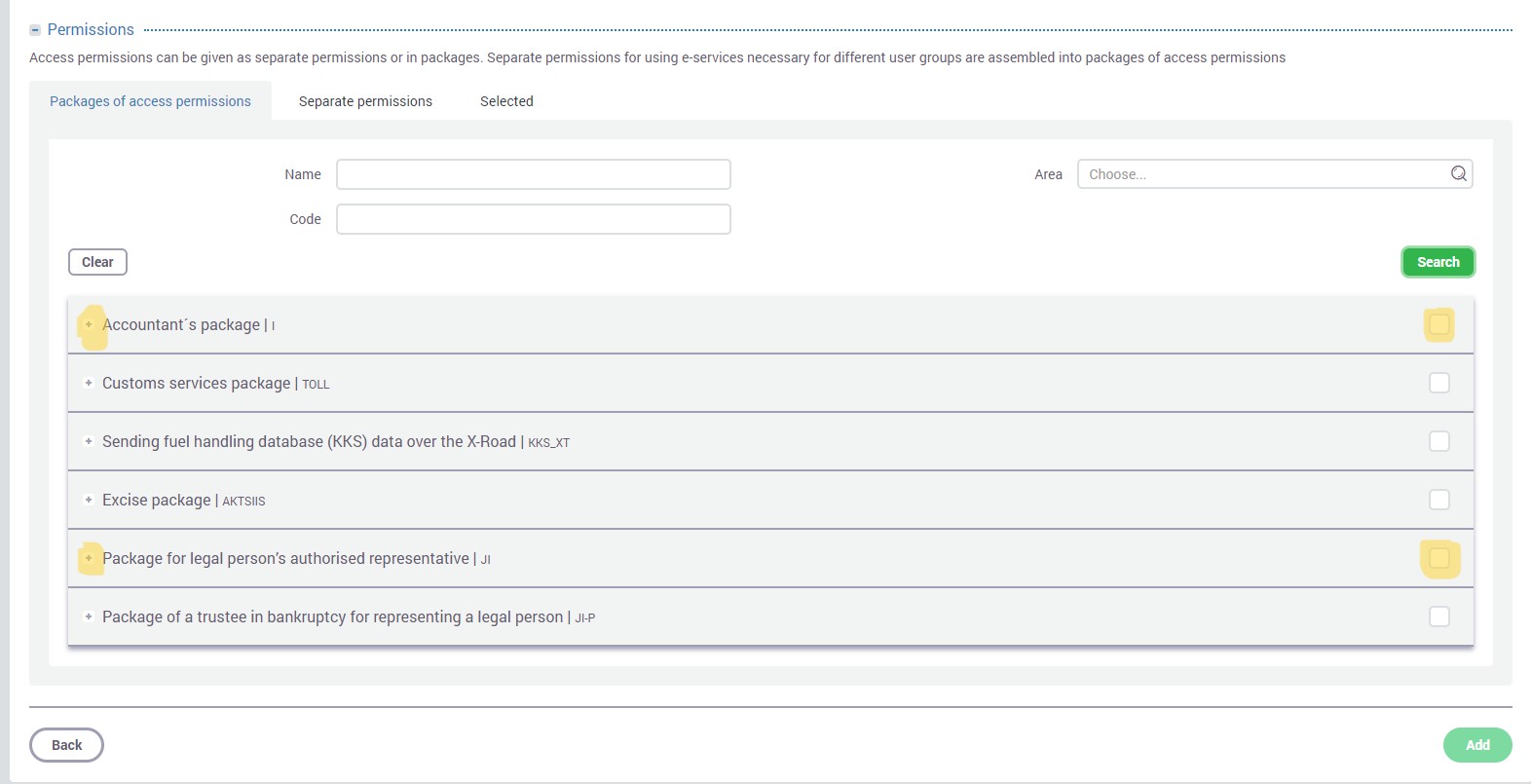
To give the rights of delegation to Grow Finance OÜ, please enter the registration code 11627587 and then click "Search", then you will be able to see all packages that you can delegate. Please choose "Package for legal person's authorized representative" and "Accountant's package":
There is an instruction also available on this site: https://www.emta.ee/en/business-client/e-services-training-courses/how-use-e-services/granting-access-permissions
2. Access to Estonia.ee which is needed in order to fill in sick-leave information etc. Enter via https://www.eesti.ee/ettevotja/en.
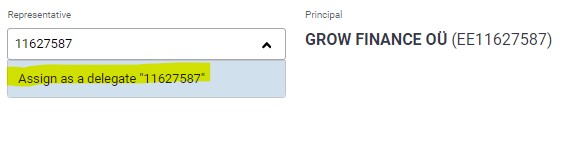
In order to add a new employee, find on the left side menu Authorizations -> Add authorization-> Grow Finance – registry code 11627587 -> Click on “Assign as a delegate 11627587”->
Choose Role button and provide following roles (“+Add authorization” button you can add second role)
2. .Access right management: Estonia.ee: Authorized representative of a company (for the services available in the eesti.ee portal)
- Annual Reports portal:Annual Reports portal: Right to enter and submit annual report
- Access to internet bank (to see the bank statement and to enter payments). In Swedbank, LHV and in SEB it can be done online via internet bank. In Luminor and Coop banks you need to consult your customer manager or need to visit the bank's branch office.
About banks we draw attention to the following:
In SEB you need to give the right to make payments with the limit of €0.00
In Swedbank please choose profile "Information"
Helari's id-code is 37905290383 (in Swedbank you also need Helari's user number which is 236408).
Please add the access also to the accountant too.
- Access to Statistics Estonia (http://www.stat.ee/en) – we'll ask for the access later, when we've started with the work. There are different types of the permissions in Statistics Estonia and we'll ask only for the needed ones when necessary.
If you have any questions or problems giving rights to Helari, then please let us know!
Kindly inform us if accesses are done, then we´ll check if everything is working well.